scpmkj@gmail.com
Get A Free Quote


 share
share
The work of a handheld inkjet printer is relatively simple. It only needs the operator to deal with daily problems. Let's learn about daily handling methods together with Qinjing inkjet printer.
Generally, data transmission failure will be encountered during application, and we can handle it according to the following methods.
1. Check whether the USB cable is connected correctly. If the screen shows that the connection is compatible, the communication is normal.
2. Check whether the coding software and USB driver device are normal.
If anything goes wrong, install the coding software and USB drivers from scratch.
Sometimes the handheld inkjet printer cannot spray words during use, and the operator can easily handle it according to the following four steps.
1. Check whether the encoder climbing ring is loose or falling; if anything is abnormal, just hang the climbing ring from your head.
2. Check whether the ink cartridge has ink; replace the new ink cartridge in time if there is no ink.
3. Check whether there is data; if there is no data, try to load the data again.
4. Try to plug and plug the ink cartridge from your head.
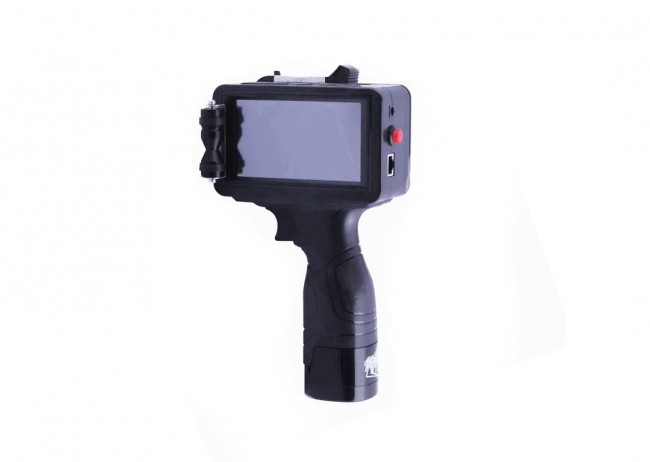
When the writing is blurred or the needle is missing, we need to be careful. Especially when there are impurities on the surface of the nozzle, we must use some methods to dispose of the impurities. Follow the following steps to finish.
1. Gently wipe with a tissue when there are impurities on the surface of the nozzle.
2. Shake the ink cartridge back and forth. (The ink needs to be wiped with a paper towel).
3. If the nozzle is dry, drop a small amount of cleaning solution to the front of the nozzle, and repeat step 2 above after 5 minutes.
4. Try replacing the ink cartridge if the above operations are not successful.
As handheld inkjet printers are small and convenient for people to use and carry, they are becoming more and more popular and loved by people. So, how to use handheld inkjet printers? Let's take a look at them together.
1. Since the handheld inkjet printer is very small, please handle it with care. Do not unplug the nozzle line when the inkjet printer is powered on to prevent the nozzle from burning.
2. After starting the machine the next day when the side spray method is used, if a white line appears in the middle of the spray, squeeze the ink bag again; repeat the subsequent work until the printing effect is OK, and then start the work.
3. After starting the machine the next day when the downward printing method is used, please note that any forced change of the direction of the nozzle is prohibited before releasing the handle screw; it will cause the nozzle to be not tight and affect the quality of the printing.
4. The inkjet printer needs to add some lubricant after working for one month to ensure that the inkjet printer can work well.